How to Remove Intimate Images from Bing Search
A privacy-safe checklist for choosing Bing’s NCII, copyright, or outdated-cache reporting path—and understanding what delisting does not remove.
A Bing result and the page hosting an image are two different targets. Before sending a report, collect the result URL, check whether the source still loads, and choose the Microsoft process that matches the facts. Sending the same generic complaint everywhere can slow down a sensitive case.
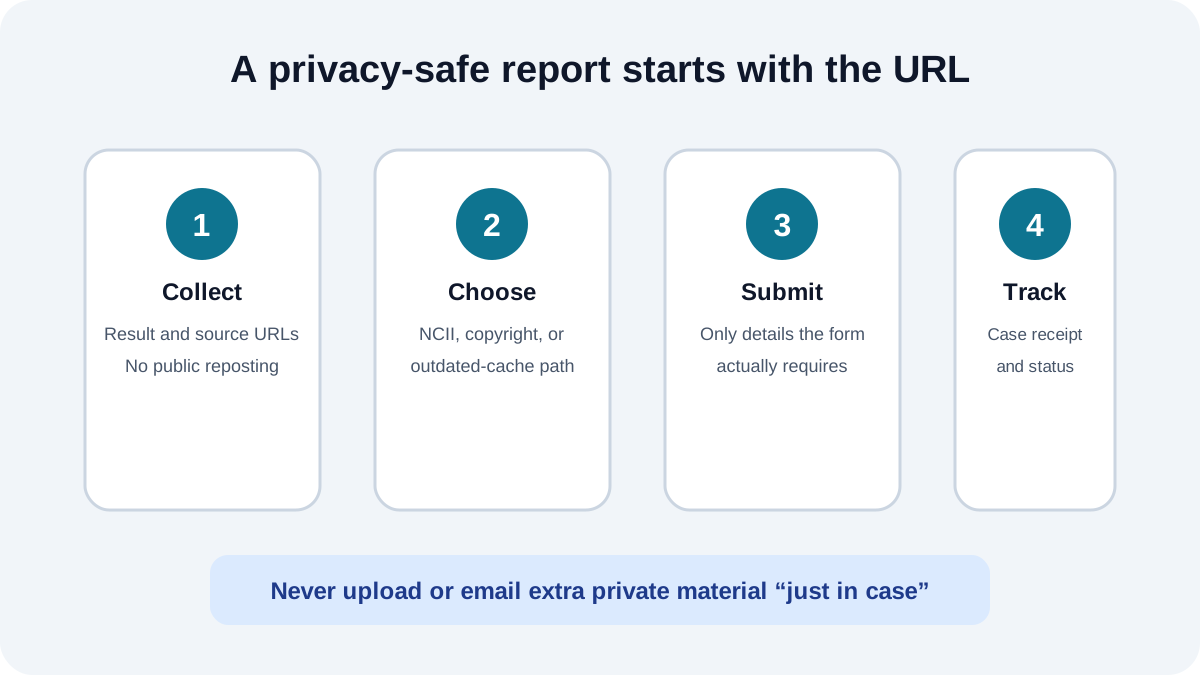
Start with two URLs, when both exist
Record the Bing result URL and the underlying source-page URL separately. Also note the search query that surfaced the result and the date you checked it. Do not repost the image, add it to a public evidence page, or send extra private files to unrelated addresses.
- Bing result URL: identifies the search result or image result you want reviewed.
- Source URL: identifies the page that actually hosts the material.
- Current source status: confirms whether the page still loads, changed, or now returns an error.
- Private case record: keeps submission receipts and responses together without exposing the URLs publicly.
Choose the path that fits the problem
1. Non-consensual intimate imagery
Microsoft’s published Bing policy says it may remove links to adult or sexually explicit images—real or synthetic—that depict a person and were shared without that person’s consent. Microsoft reviews the report and controls the decision. This is a privacy and consent pathway, not a promise that every unwanted image qualifies.
2. Copyright infringement
If you own the copyrighted work or are authorized to act for the owner, Microsoft provides an infringement reporting channel. State the ownership and authorization accurately. Do not use a copyright assertion when the actual issue is consent and you cannot truthfully make the ownership claim.
3. Outdated page or cached result
If the source page has already removed or changed the material but Bing still shows an old result, Microsoft points users to Bing’s Content Removal Tool. Recheck the source immediately before submitting so the request describes its current state.
What Bing delisting changes
A successful Bing request can reduce discovery through Bing search. It does not delete the image from the source website, erase copies on other hosts, or automatically remove results from every other search engine. Treat delisting and source removal as parallel workstreams.
| Situation | Likely next action | What remains |
|---|---|---|
| Source still hosts intimate material | Source report plus Bing privacy report | Other hosts and search indexes |
| Source removed the page | Check Bing’s outdated-content route | Other cached copies |
| Creator-owned work was copied | Consider a truthful copyright report | Source removal and reuploads |
Submit the minimum necessary information
Use Microsoft’s current form instructions as the authority. Provide the requested URLs and truthful confirmations, but avoid attaching extra intimate material “just in case.” Never send account passwords. If a form requires a sensitive upload you do not understand, pause and verify that you are on an official Microsoft domain.
Track the result URL by URL
Save the submission receipt, date, response, and the exact URL covered. Recheck the result without repeatedly opening or downloading the underlying material. If the source disappears but an old thumbnail persists, the case may have shifted from a privacy or copyright issue to an outdated-cache request.
Current Microsoft references
- How Bing delivers search results explains Bing’s narrow removal circumstances, NCII handling, and outdated-content process.
- Microsoft’s Digital Safety Content Report describes its NCII reporting and review practices.
- StopNCII.org offers an on-device hashing option for adults concerned about intimate-image sharing.
Need help separating source removal from Bing delisting?
Our Bing removal support page explains the service scope, limits, and privacy-safe intake path.
Review Bing image removal support →About the Author
Sarah focuses on helping victims navigate the content removal process. She writes about digital rights, platform policies, and the legal landscape around non-consensual imagery.